Educator Tools
Problem
Teachers and administrators had a very hard time understanding how students were doing in the program. We were gathering a lot of data, but the nightly generated PDFs were not meeting their needs well.
Approach
A portal interface for our educators to understand how students are performing and how to help them.
My Contributions
Processes, research, collaborative design, wireframing and user flows, user testing, graphic design, and HTML & CSS.
Outcome
This project introduced many firsts for the the company, a UX Designer, an agile and cross-functional team, live data to our customers, interactive reports and tools, and gave our customers data they could easily understand. This project gave our advocates data that validated their trust in our product. It fueled the passion in these teachers and gave them tools that they said they could never live without now. The graphic design set a bar high above any competitor and made our product highly distinguishable.
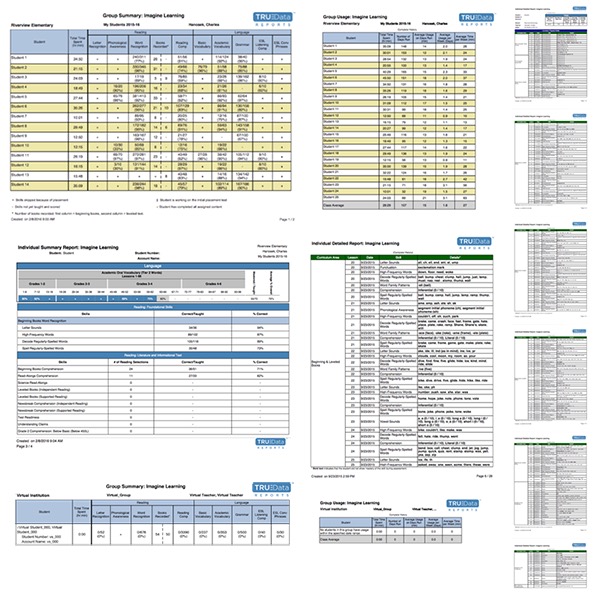 These are the PDF reports we replaced. Presenting all this information as static top-level data was overwhelming to our customers. Some reports went on for pages.
Background
All reports for our customers were generated PDFs and those reports had remained much the same for years. Customer feedback was overall very positive for the student experience and overall very negative for the reports.
Objective
My role was to find out what teacher needs were (regarding student language and literacy data) and design solutions that met them.
Users
Our users are teachers at Elementary Schools. They sincerely care about their students and want them to achieve their greatest potential. They frequently work hours after school as it is so they are very short on time. Since the PDFs were not meeting their needs, even our strongest advocates relied mostly on personal experiences with students as validation that the product worked.
Usefulness
Our users rarely knew how to actually interpret the reports and didn't use them. One customer, who understood them, explained that they had spent hours (literally) on the phone with the company to understand them. Our users needed a solution that was easier to absorb, quicker to answer their questions, and intuitive to use.
Team
I was on a new team full of strong and passionate individuals who had support and trust from their manager. They fought hard to get the company’s first UX Designer (me). We collaborated every step of the way to make this project.
User Needs
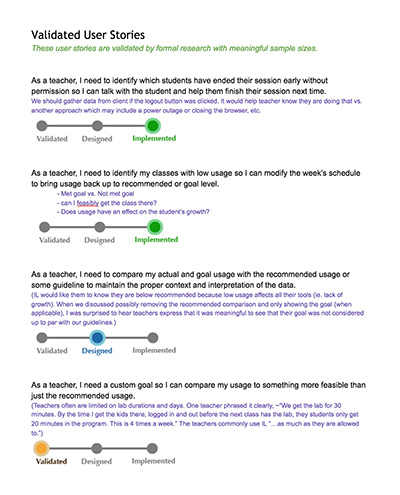
I conducted research primarily over the phone and screen sharing apps. I documented the resulting user stories. To bring stakeholder focus to the user stories, I added status indicators to each one, which proved very effective. That gave us a common language to monitor the project’s progress and helped prevent some of the "MVP = done" misconceptions we had experienced in the past.
Wireframing and User Testing
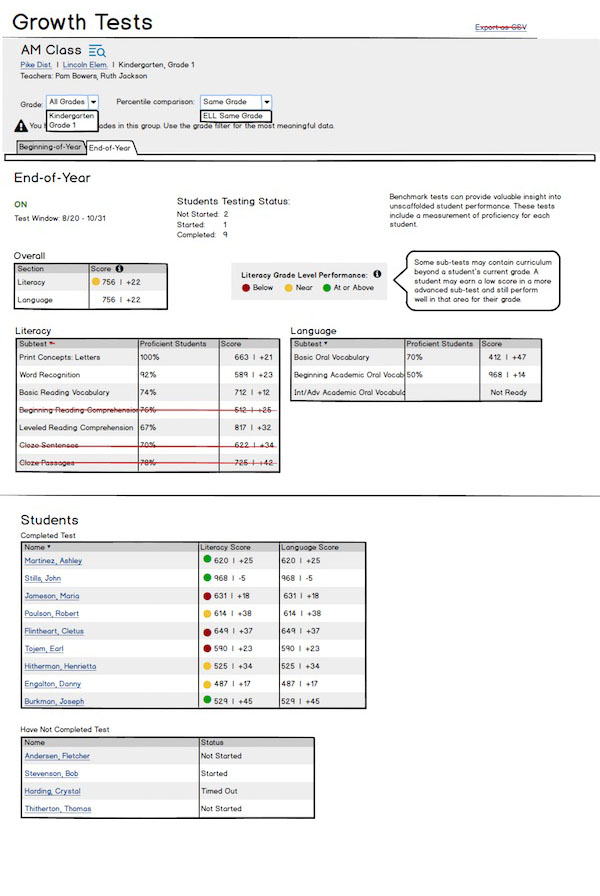
Collaboration and user testing was conducted throughout the entire process internally and with users. I presented wireframes and designs to the team right after standup to get feedback and to report the results of the usability tests I conducted. I found great value in testing with users at the wireframe stages because it can catch flaws in the information architecture before all the design and development work begins. Also, if the usability is passing at the wireframe level, but fails in the actual product, then it could be evidence that aspects of our hi-fidelity design is distracting from important interactions and the usability of the app.
UX Design
When choosing a design, I believe that there are often multiple viable options to solving a user need. It is just weighing the pros and cons of each. Some of the factors I use to weigh options are the effectiveness at solving user needs, usability principles, consistency, and feasibility.
UI Design
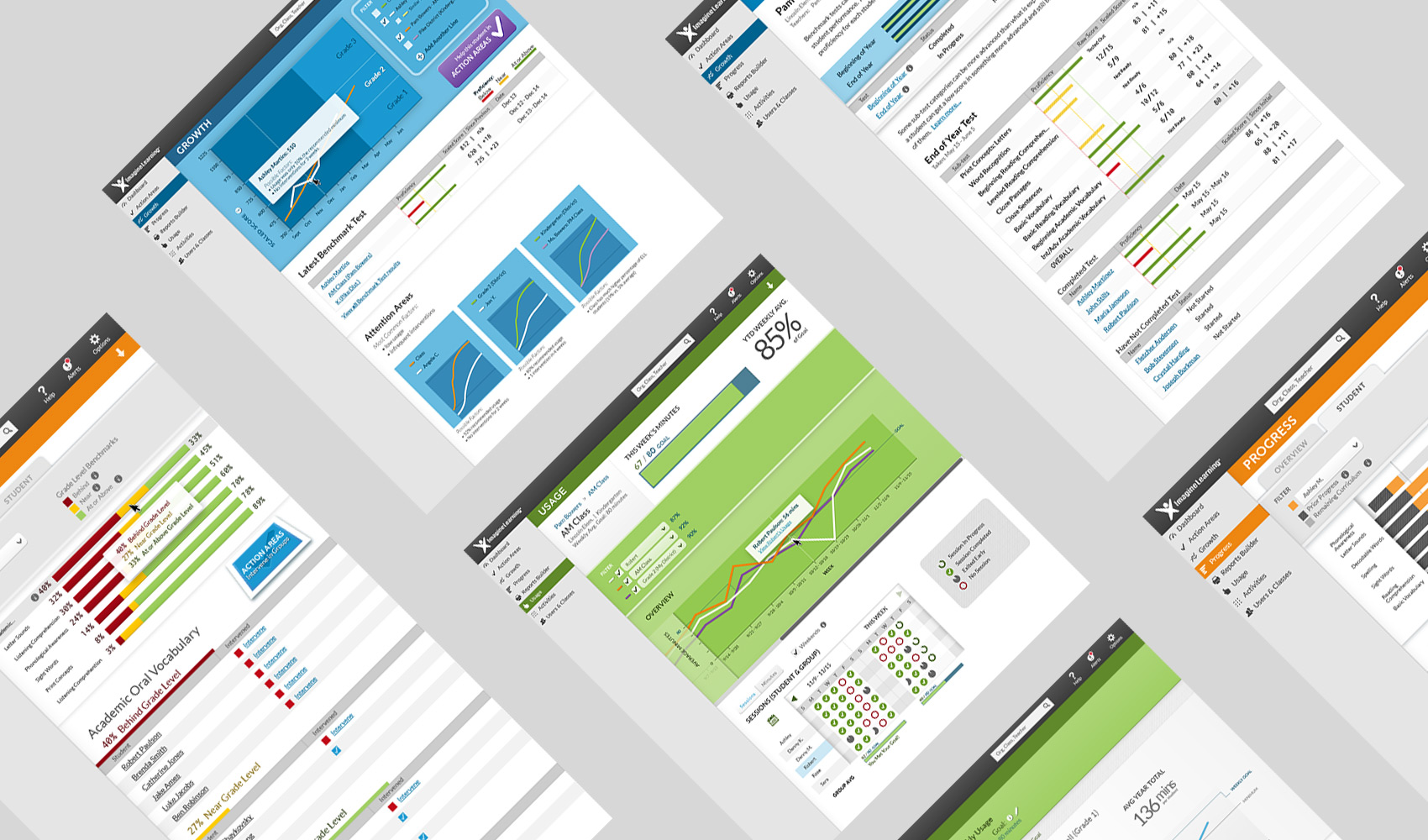
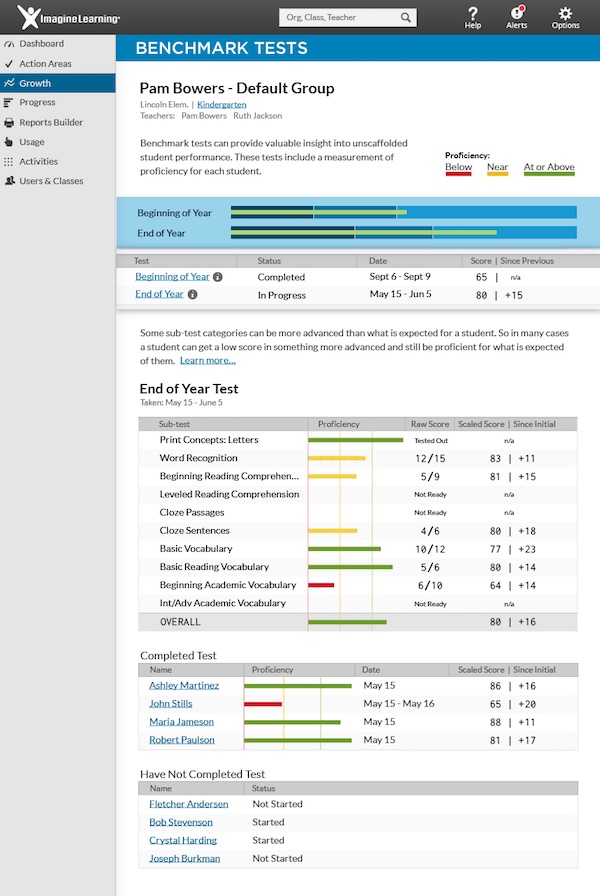
The hi-fidelity design honored on the graphic aspects of our brand. Big bright colors. Creating data visualizations on big colored backgrounds was a fun challenge. I created a CSS color system to allow us to even swap the color of an entire view with little effort. I did all the graphic design on these projects and made sure I knew how each design could be developed which usually meant that I’d prototype examples and pass them to our front-end dev.
Development
The components were created with pixel-perfect precision. As the product grew, it would become more time consuming to catch and prevent cosmetic errors. Part of my strategy was a design pattern library to simplify the development process, review our overall design, and monitor the status of each component very quickly. Our developers found great value in it and built it up to include angularJS snippets and dynamic demos.